User Guide
Magento Shipping and Payment Per Customer Group overview
Magento Shipping and Payment Per Customer Group enables admin to set up different shipping and payment methods for various groups of customers. Once set up in the backend, only chosen methods display for particular customer groups in the shipping and payment process in the frontend.
This extension permits admin to satisfy their customers by providing their customers the most suitable products in the neatest organization.
How Magento Shipping and Payment per Customer Group works
After installing Magento Shipping and Payment Per Customer Group into your website, a new tab named Advanced Shipping/Payment methods will appear in your backend page allowing admin to set up advanced shipping and payment methods for each specific customer group.
1. Set up Payment Methods for customer groups
To customize shipping methods for each specific customer group, follow steps below:
Go to Admin Panel => Advanced Shipping/Payment Methods => Payment methods
After that, a screen appears showing many payment methods for admin to make configuration.
NOTE: Before making configuration, you must firstly consider the Current scope for your configuration. Right in the top, there is a “current scope” box, in which there have two options.
- Admin: If you choose the current scope to be Admin, the configuration runs in all of your websites.
- Main website: The configuration is only applied in the main website.
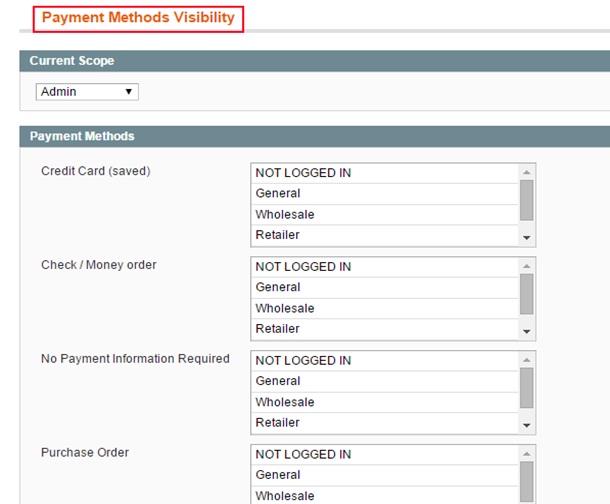
Here, all payment methods which are set up by admin in payment section will be listed with various options of customer groups.
In order to set up any payment method for customer group(s),
Payment method
For instance, if you wish to set up Payment by cards or by PayPal account for NOT LOGGED IN CUSTOMERS
Payment by cards or by PayPal account
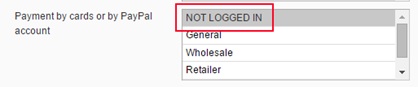
The process is the same as other payment methods with any other customer groups.
2. Set up Shipping Methods for customer groups
Go to Admin Panel => Advanced Shipping/Payment Methods => Shipping methods
After that, a screen appears showing many payment methods for admin to make configuration.
NOTE: Before making configuration, you must firstly consider the Current scope for your configuration. Right in the top, there is a “current scope” box, in which there have two options.
- Admin: If you choose the current scope to be Admin, the configuration runs in all of your websites.
- Main store: The configuration is only applied in the main website.
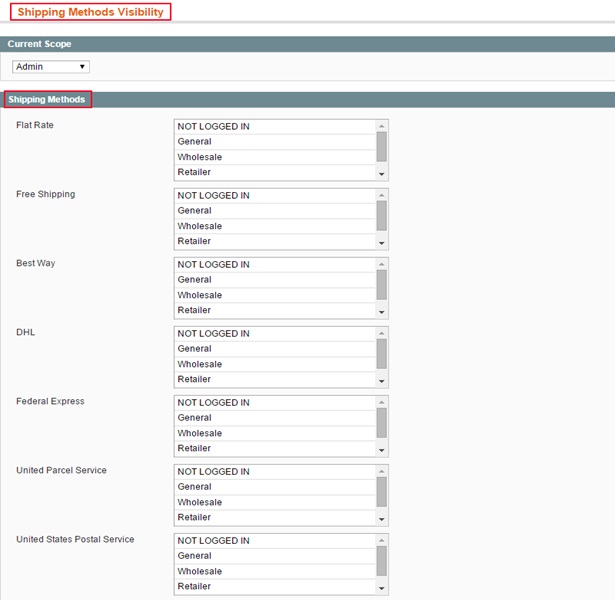
Just the same as payment methods, all shipping methods which are set up by admin in shipping section will be listed with various options of customer groups.
You can entirely configure the shipping methods for specific customer group:
Shipping method
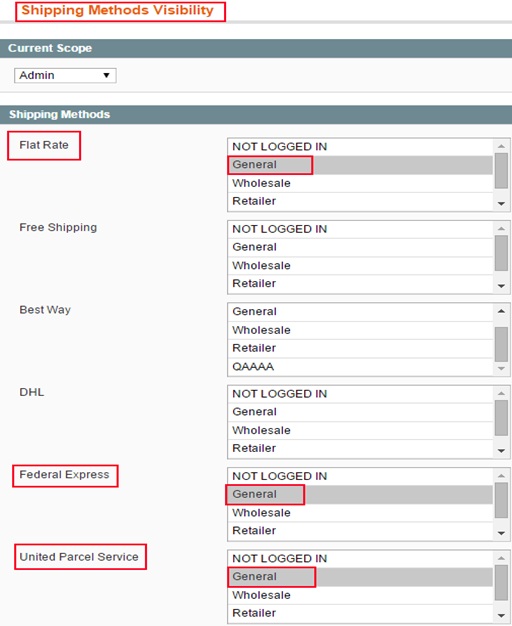
For example: you would like to set flat rate, Federal express, United Parcel Service for General customers, In Flat rate, Federal express, United Parcel Service, you click on General.
As a result, these shipping methods will be shown for general customers.